A free YouTube SEO checklist walks through your title, thumbnail, description, and final upload. Tick the checks as you go, then reset them for the next video. The guide also explains what CreatorHat's SEO score can and cannot tell you.
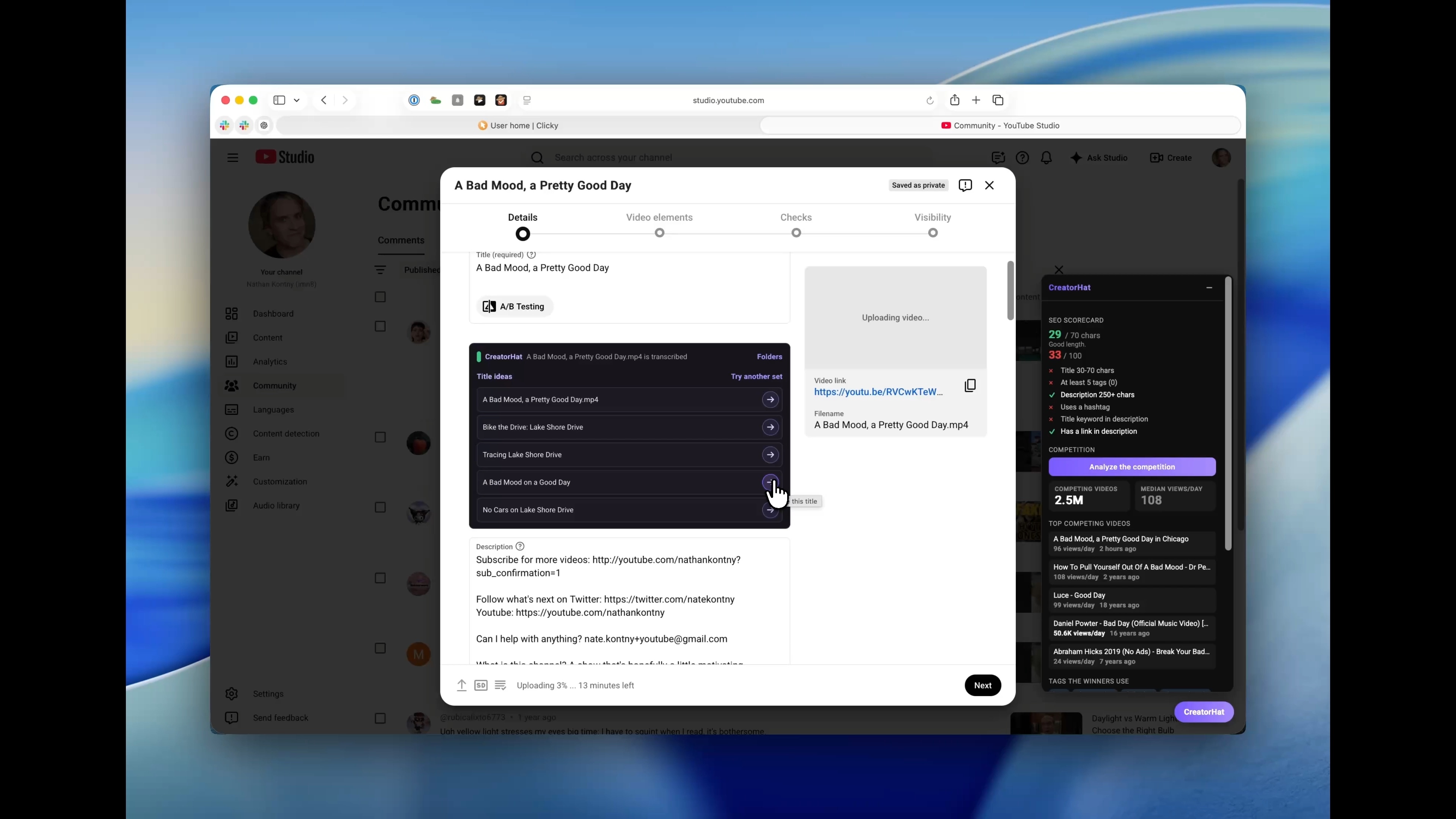
A new walkthrough shows CreatorHat working on my Bike the Drive vlog. You can see the title suggestions, the one I chose, and how to use the parts that fit your own video. Read the upload walkthrough.
From the recorded CreatorHat demo used in the walkthrough. Open the image for the full screen.
You can now get CreatorHat from the Mac App Store and try it free for seven days. It brings YouTube research and upload help into Safari for $29.99 a year. No CreatorHat account to create or API key to paste.
CreatorHat can read the video file on your Mac while YouTube is still processing the upload. It transcribes the video locally, then suggests titles and a description beside the fields in YouTube Studio. Keep the copy you like without replacing your existing links and channel boilerplate.
A Short and a long video do not need the same yardstick. CreatorHat compares Shorts with the recent Shorts on that channel, so you can see which ones are doing unusually well.
Open a channel to see its recent upload pace, typical views per day, and videos doing better than usual. The overview sits across the page so there is room to inspect the recent uploads.
Writing suggestions in YouTube Studio can use the video transcript. That gives CreatorHat something concrete to work from when suggesting a title or description, instead of guessing from a topic alone.